Sketch. Paint.
Create anywhere.
A calm, studio-grade drawing app crafted for pure creativity. Natural graphite pencils, non-destructive layers, tactile paper textures, and hardware stylus precision. No subscriptions on core tools. Zero ads.
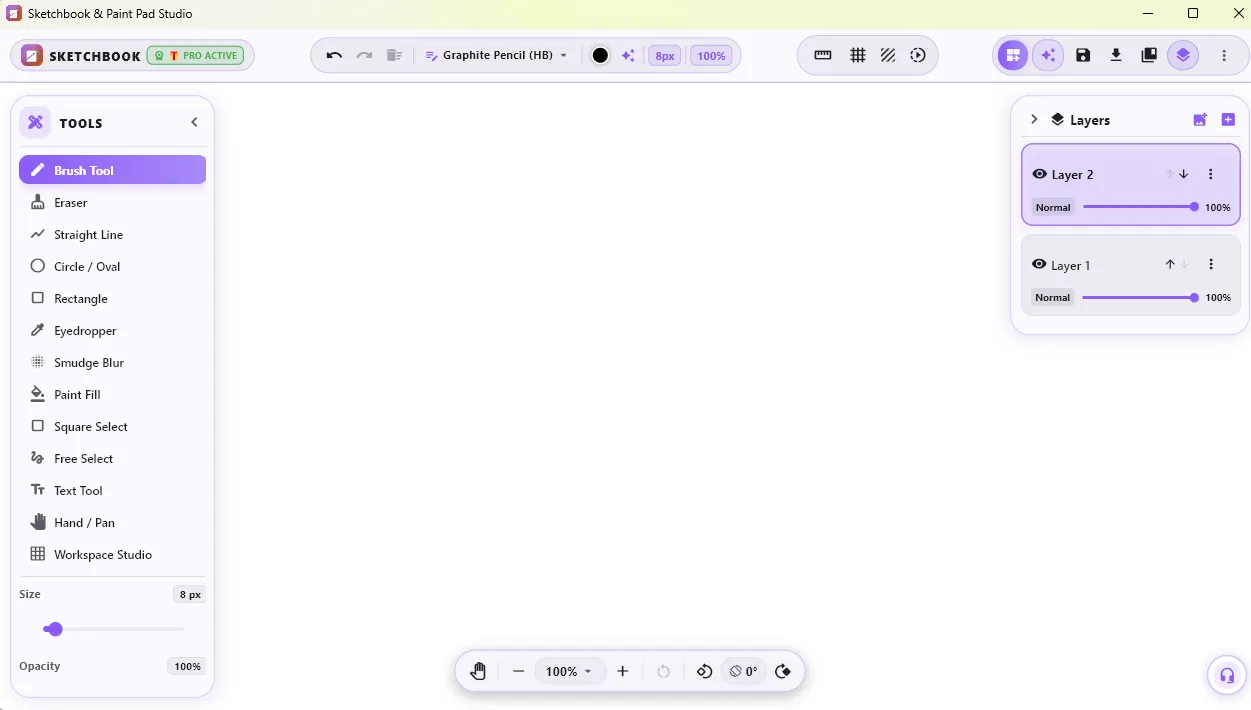
Everything You Need to Create
Simple enough to sketch a quick idea in seconds, deep enough for intricate multi-layered artwork.
Natural Graphite Pencil & Expressive Brushes
Experience an authentic graphite pencil texture that shades naturally with your strokes. Eraser, smudge blur, precision inking pen, shapes, paint fill, and an extended brush library in Pro.
Non-Destructive Layers
Stack linework, shading, and background colors with independent opacity controls, layer reordering, and separate visibility toggles.
Tactile Papers & Overlays
Choose from Plain White, Blueprint, Kraft Paper, Dark Slate, Parchment, or Linen. Overlay Dot Grids, Isometric guides, or 1-Point/2-Point perspective lines.
AI Creative Studio & Palette Inspiration
Spark new ideas instantly. Explore curated art themes (Sunset Glow, Cyberpunk Neon, Watercolor Forest), generate custom palettes from descriptive text prompts, or consult the built-in Art Advisor for composition and mood suggestions.
Stylus Calibration & Palm Rejection
Calibrate pressure curves for Soft, Balanced, or Firm hand pressure. True palm rejection on tablets and Surface pen devices prevents accidental marks.
Pro Export Hub (1x, 2x, 4x)
Export in crisp PNG at Standard 1x, High Res 2x, or Ultra-HD 4K. Toggle paper texture on/off, attach an artist signature, or export each layer independently.
Radial & Mirror Symmetry
Craft intricate mandalas, balanced character portraits, and geometric surface patterns effortlessly with real-time radial and bilateral reflection.
100% Ad-Free & Private
Zero advertisements, popups, or intrusive trackers. Your artwork stays stored on your own device—never sent to cloud servers without your explicit permission.
A Closer Look Inside Sketchbook
Every tool and panel is thoughtfully designed to keep you focused in the creative flow.
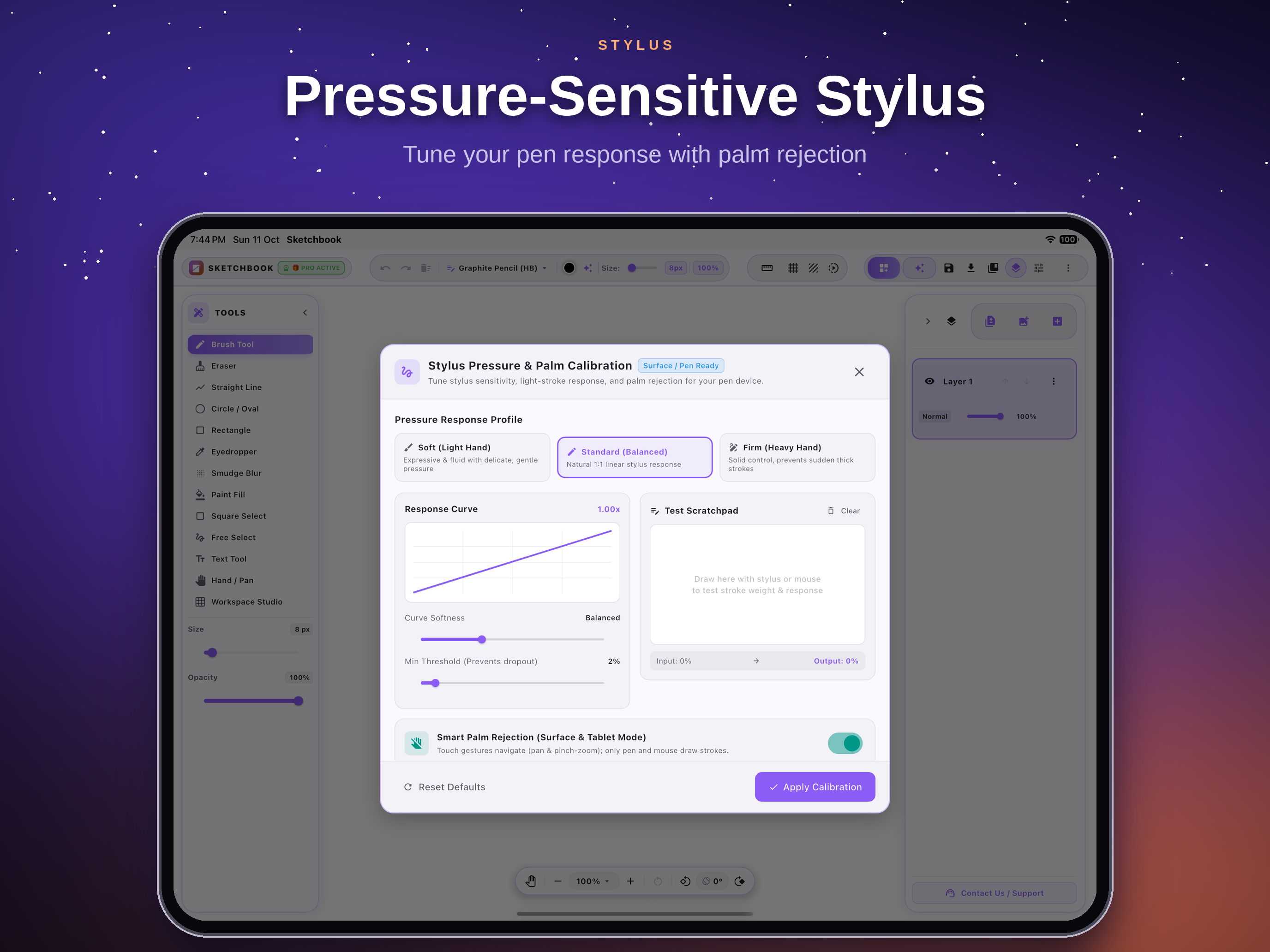
Precision Stylus & Palm Calibration
Tune your pen response curves to match your natural drawing style. Whether you prefer a featherlight stroke or a firm deliberate line, custom response curves and minimum thresholds deliver pen-on-paper authenticity.
- 3 Response Profiles: Soft (Light Hand), Standard, Firm (Heavy Hand)
- Live Test Scratchpad with real-time input vs. output visualization
- Smart Palm Rejection: Touch gestures pan/zoom while pen draws
Tactile Workspace Studio
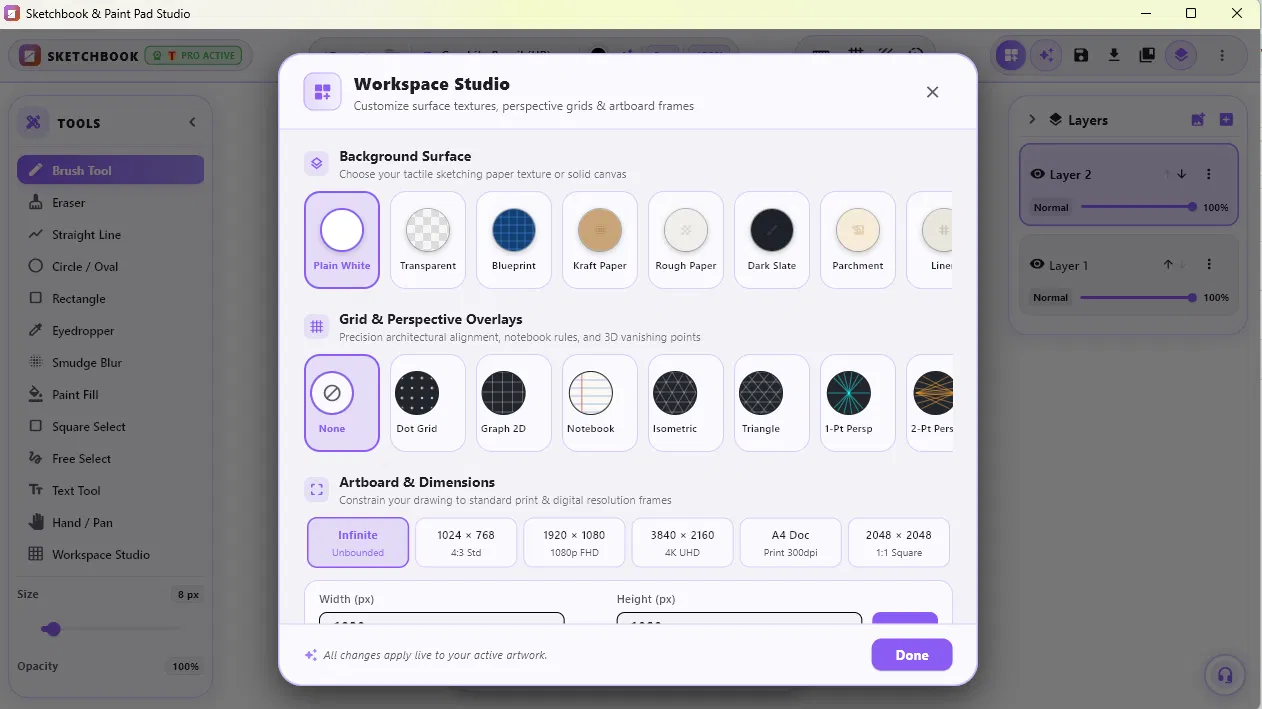
Set the mood before your first line. Swap surfaces between plain white, technical blueprint, raw kraft paper, rough watercolor stock, dark slate, or aged parchment.
- Dot grid, 2D graph, notebook rules, and isometric matrices
- 1-Point & 2-Point perspective vanishing guides for architectural drafting
- Predefined artboard frames: 1024×768, 1080p, 4K UHD, A4 print, or Infinite
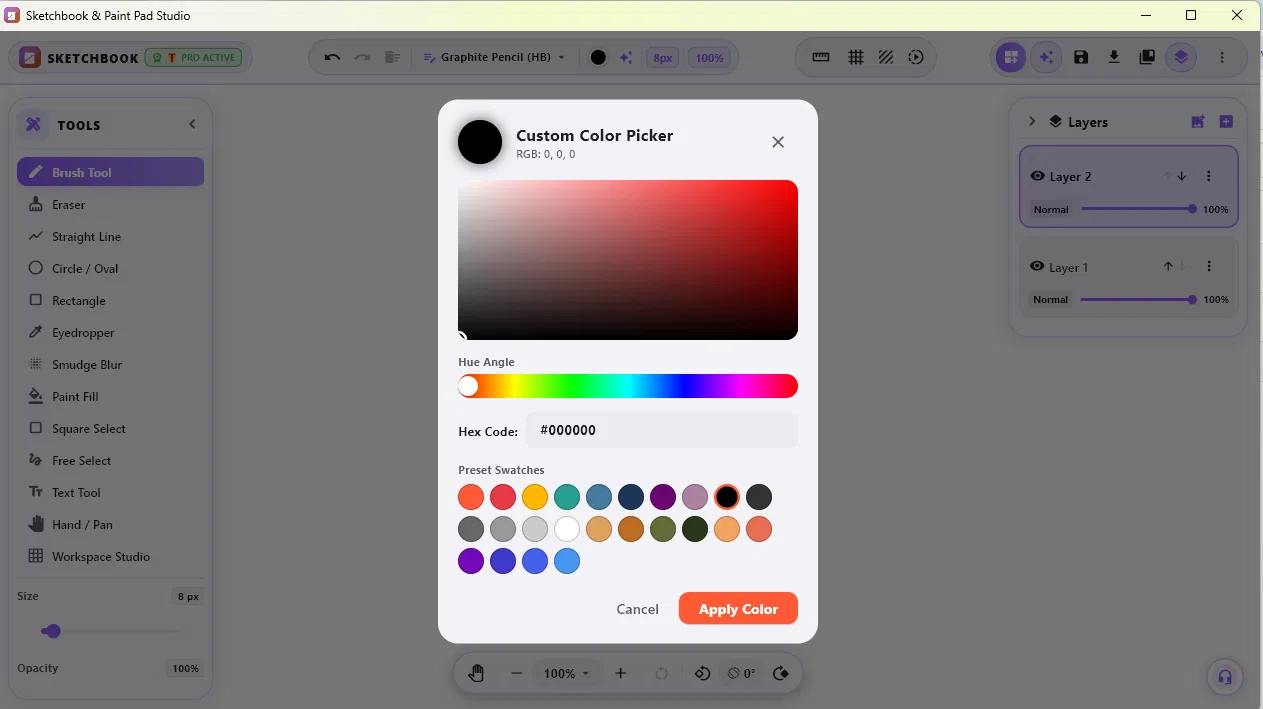
Custom Precision Color Picker
Mix colors exactly the way you envision. Drag smoothly through the full saturation-lightness gradient, adjust hue angles, or enter precise 6-digit hex values.
- Instant hex code entry and RGB value readouts
- 24 curated preset swatches for rapid tone matching
- Built-in eyedropper tool to sample any pixel on your canvas
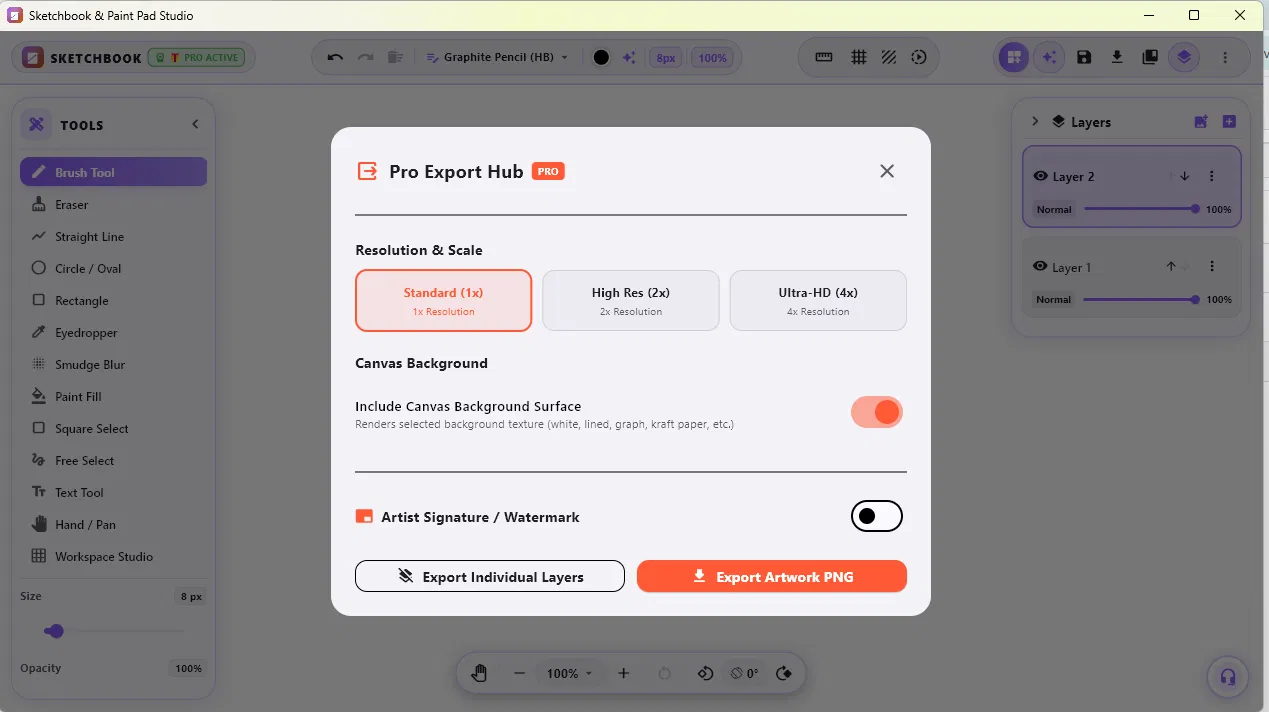
Pro Export Hub (Up to 4x Ultra-HD)
Take your art to print, portfolio, or social channels in pristine clarity. Export at 1x resolution for social sharing or super-sample up to 4x Ultra-HD for high-DPI prints.
- Export with or without paper textures for transparent asset work
- Export individual layers as isolated PNG files for post-processing
- Optional custom artist signature watermark overlay
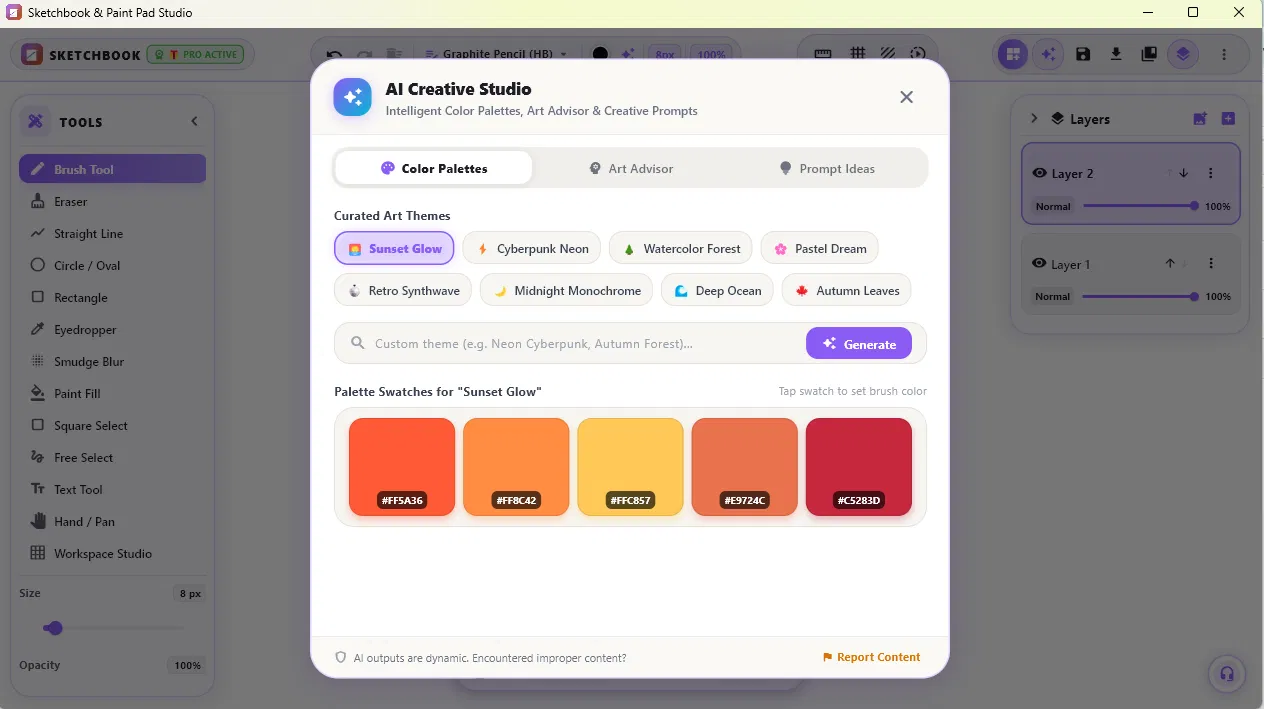
AI Creative Studio
An intelligent creative companion built directly into your workspace. Browse harmonious color themes curated by artists, generate dynamic palettes from descriptive prompts, or consult the built-in Art Advisor when you need a creative spark.
- Curated art themes: Sunset Glow, Cyberpunk Neon, Watercolor Forest, Pastel Dream, and more
- Generate unique color palettes dynamically from any custom theme prompt
- Built-in Art Advisor & Creative Prompts for composition, lighting, and mood advice
- One-tap swatch selection directly into your active brush
Frequently Asked Questions
Everything you need to know about Sketchbook & Paint Pad Studio and Pro.
Is Sketchbook & Paint Pad Studio really ad-free?
Yes, absolutely. We believe creating art requires calm concentration. There are zero banner ads, video interstitials, or tracking pop-ups—not in the free tier, and not in Pro.
Where is my artwork stored? Does anyone else have access?
Your artwork, sketches, and files are saved exclusively on your local device. We do not upload your artwork to our servers and we claim zero copyright or ownership over what you create.
What is included in the Pro upgrade?
Pro unlocks the full brush library, non-destructive layer system, radial and mirror symmetry tools, custom paper textures & perspective grids, the AI Creative Studio palette generator, and the Pro Export Hub with 2x and 4x Ultra-HD export.
Is the Lifetime option a recurring subscription?
No. The Lifetime option is a one-time transaction. You pay once and enjoy permanent access to Pro and all subsequent major updates with zero recurring charges.
Does the app support styluses like Surface Pen or Apple Pencil?
Yes! Sketchbook & Paint Pad Studio includes dedicated Stylus Pressure and Palm Rejection calibration. You can tune your pressure curve for light, balanced, or heavy stroke styles, and rest your palm naturally on the screen while sketching.
When are the iPad, iPhone, Mac, and Android versions coming out?
The Apple and Android versions are in active development and testing, planned for release in 2026. Stay tuned or check back on this website for launch announcements.
Start Drawing Today
Zero advertisements. Free to start. Available immediately on Windows, with iPad, iPhone, Mac, and Android on the way.